Methodist My Care App: Download, Features & How to Use
The Methodist My Care app gives eligible Methodist Health System patients a convenient way to access their patient portal from a smartphone. Instead of using a desktop or mobile browser every time they need to manage their healthcare information, patients can use the app to access available portal services from their phone.
The app is available for free through the Apple App Store and Google Play Store. Methodist says patients can use the app to communicate securely with their healthcare team, view health information and test results, request prescription refills, and manage certain appointments.
This guide explains what the Methodist My Care app does, how to download it, what you need before using it, and what to do if you have problems with the app.
What Is the Methodist My Care App?
The Methodist My Care app is the mobile version of Methodist Health System’s patient portal.
It brings many of the services available through the Methodist My Care website into a smartphone application. Patients with an existing Methodist My Care account can use the app to access available personal health information and communicate with their care team.
The app also includes several Methodist services that do not require a patient-portal sign-in, including bill payment, provider lookup, and location search.
Where Can I Download the Methodist My Care App?
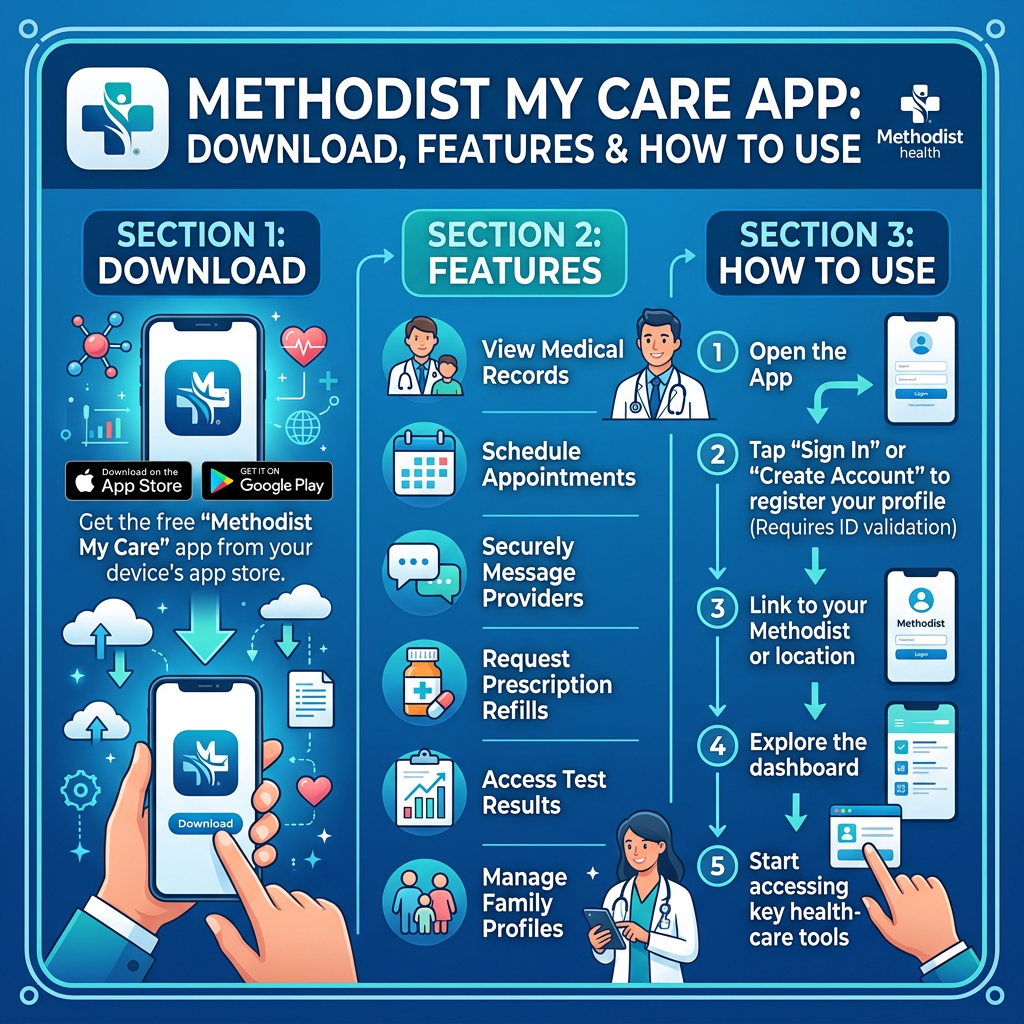
Methodist currently makes the app available through:
- Apple App Store for iPhone and compatible Apple devices
- Google Play Store for Android devices
The app is available at no separate download charge.
When searching for the application, look for the official Methodist My Care app rather than downloading an unrelated application with a similar name.
For additional security, use the official app stores on your device rather than downloading an application file from an unfamiliar website.
How to Download the Methodist My Care App
On an iPhone
To install the app on an iPhone:
- Open the Apple App Store.
- Search for Methodist My Care.
- Locate the official Methodist My Care application.
- Select the option to download or install it.
- Wait for the installation to finish.
- Open the app.
- Sign in using your Methodist My Care account if you already have one.
On an Android Phone
For Android devices:
- Open Google Play Store.
- Search for Methodist My Care.
- Locate the official application.
- Select the install option.
- Wait for the application to finish installing.
- Open Methodist My Care.
- Sign in using your existing patient-portal credentials.
Methodist specifically directs patients to search for “Methodist My Care” in the Apple App Store or Google Play Store.
Do I Need a Methodist My Care Account to Use the App?
It depends on what you want to do.
You can use some of the app’s general Methodist tools without signing into a patient portal account. These include services such as bill pay, provider lookup, location search, and certain cost estimates.
However, you need a Methodist My Care patient portal account to access your personal medical records through the app.
If you are a first-time user, Methodist provides a self-enrollment process for eligible patients. A medical record number is required for self-enrollment.
For detailed enrollment instructions, see our Methodist My Care Sign Up guide.
What Can You Do With the Methodist My Care App?
The app provides access to several patient-portal functions.
Communicate With Your Healthcare Team
Patients can use Methodist My Care to communicate securely with their healthcare team.
This can be useful for routine healthcare questions and other appropriate communication with your provider.
The patient portal should not be treated as a replacement for emergency medical care.
View Health Information
After signing in, eligible patients can access available health information through their Methodist My Care account.
The exact information displayed depends on what is available through the patient’s Methodist record.
View Lab and Test Results
Methodist says patients can view laboratory and test results through Methodist My Care.
The health system also notes that results can sometimes appear in the portal before a provider has reviewed them. Some results may therefore be difficult to interpret without professional explanation. Methodist says providers will contact patients about concerning findings when appropriate.
Request Prescription Refills
The Methodist My Care app allows patients to request prescription refills through the patient portal.
A refill request does not necessarily mean that a prescription will be automatically approved. Your provider or pharmacy may need additional information or may require an appointment before approving a refill.
Schedule Appointments
Methodist states that patients can schedule appointments with their primary care provider through My Care. The availability of online scheduling can depend on the provider and appointment type.
Cancel or Reschedule Appointments
The app can also be used to cancel or reschedule appointments, according to Methodist. If an appointment does not offer an online change option, contact the appropriate provider’s office.
Methodist My Care App Without Signing In
One useful feature of the current app is that not every service requires a patient-portal login. Methodist says users can access several tools without signing into the patient portal, including:
- Bill payment
- Provider lookup
- Location search
- Interactive maps
- Cost estimates for selected surgeries and procedures
- Information about Methodist careers
These general tools are different from personalized patient-portal services. For example, you may be able to search for a Methodist location without having a patient account, but you need the appropriate My Care account access to view your personal medical records.
Can I View My Medical Records Through the App?
Yes, if you have a Methodist My Care patient portal account and successfully sign in. Methodist identifies My Care as the place where patients can access their medical records and other available health information.
If you have downloaded the app but have never enrolled in My Care, you will need to complete the enrollment process before accessing your personal medical information.
Can I View Test Results in the App?
Yes. Methodist states that patients can view laboratory and test results through the Methodist My Care app.
Methodist’s separate information about lab and test results says results are usually available within three to five business days, although specialized tests may take longer.
Results may sometimes become visible before your provider has reviewed them. If you are unsure what a result means, discuss it with your healthcare provider rather than trying to diagnose yourself from the result.
Can I Request Prescription Refills Through the App?
Yes. Prescription refill requests are one of the functions Methodist lists for its My Care app.
However, not every medication or refill situation can necessarily be handled through the portal. Methodist advises patients seeking prescription refills to contact their pharmacy to submit a request to the provider’s office, and some patients may need to be seen by their provider before a refill can be authorized.
Can I Schedule a Doctor’s Appointment Through the App?
Methodist says My Care can be used to schedule appointments with primary care providers. The appointment options available to you can depend on your provider and the type of appointment you need.
Methodist also provides other appointment options, including phone scheduling and online self-scheduling for participating primary care providers and mammography locations.
Methodist My Care App Login
If you already have a Methodist My Care account, open the app and use your existing patient-portal credentials.
You do not need to create a completely separate patient account simply because you want to use the mobile application.
If you cannot remember your credentials, use the appropriate account-recovery process.
For detailed help, see our Methodist My Care Forgot Password or Username guide.
What If the Methodist My Care App Is Not Working?
If the app does not work correctly, start with a few basic troubleshooting steps.
Check Your Internet Connection
Make sure your smartphone has a reliable Wi-Fi or mobile data connection.
Update the App
Open the appropriate app store and check whether a newer version of Methodist My Care is available.
Keeping the app updated can help prevent compatibility problems.
Restart the App
Close the application completely and open it again.
If the problem continues, restart your smartphone.
Try the Website
Methodist My Care can also be accessed through a web browser on a desktop computer or mobile device.
If the app is temporarily experiencing a problem, the browser version may provide another way to access your account.
Check Your Login Information
If the app opens normally but rejects your credentials, the problem may be related to your username or password rather than the application itself.
Use the official recovery options rather than repeatedly guessing your password.
I Used the Old Methodist My Care App
Methodist introduced a newer Methodist My Care app in 2024.
The health system stated that the newer app replaced the previous version while retaining the Methodist My Care name. Existing users of the older application were instructed to delete the old app and download the new version from the Apple App Store or Google Play Store.
If you still have an older version installed, check the app store for the current official Methodist My Care application.
How Do I Know I Have the Correct App?
When searching for the app, use the exact name Methodist My Care.
Methodist’s official instructions identify the current application by the Methodist My Care name and direct patients to Apple’s App Store or Google’s Play Store.
Avoid downloading an app from an unfamiliar website simply because it uses a similar name.
This is especially important for healthcare applications because a patient portal may provide access to private medical information.
Can I Use Methodist My Care on a Tablet?
Methodist says its patient portal is available through internet browsers on desktop and mobile devices, as well as through the smartphone app.
If your tablet is compatible with the app, you can check the appropriate app store. Otherwise, you can use the web version of Methodist My Care through a browser.
Is the Methodist My Care App Free?
Methodist currently lists the Methodist My Care app as available for free through the Apple App Store and Google Play Store.
This does not mean that healthcare services accessed through the app are necessarily free. Medical appointments, treatments, prescriptions, and other healthcare services can have separate costs depending on the service and your insurance or payment arrangements.
Does the App Replace the Methodist My Care Website?
Not completely. The app provides convenient mobile access to My Care, but Methodist also maintains a browser-based version of its patient portal.
You can therefore use the option that works best for you:
- Smartphone app
- Mobile browser
- Desktop browser
- Tablet browser
The underlying patient-portal account remains the important part when accessing your personal health information.
Can I Use Apple Health With Methodist My Care?
Methodist says My Care users can connect important health information with Apple’s Health app.
According to Methodist, Apple Health can include information such as immunizations, laboratory results, medications, and vital signs alongside other health information such as activity, sleep, and nutrition.
Patients interested in connecting health-management applications should follow Methodist’s official instructions for establishing the connection rather than entering their portal credentials into an unverified third-party service.
Is the Methodist My Care App Secure?
Methodist describes My Care as a secure online patient-management tool and says the app allows patients to communicate securely with their healthcare team. You should still take normal precautions when using a healthcare application.
For example:
- Keep your phone protected with a passcode or biometric lock.
- Do not share your Methodist My Care password.
- Avoid entering your credentials on unfamiliar websites.
- Keep your phone’s operating system and applications updated.
- Sign out or use appropriate device security if other people regularly use your phone.
- Download the application from an official app store.
What If I Forgot My Methodist My Care Password?
The app cannot replace your account-recovery process.
If you have forgotten your password or username, use the official Methodist My Care recovery options.
If you cannot regain access, Methodist currently directs patients to Customer Support at (402) 354-2280 and press 2 for technical assistance.
For a more detailed recovery guide, see our Methodist My Care Forgot Password or Username page.
What If I Do Not Have a Methodist My Care Account?
First-time users who meet Methodist’s enrollment requirements can self-enroll.
Methodist currently states that a medical record number is required for self-enrollment. The number can be found on a recent billing statement or obtained by contacting the provider’s office.
After creating the patient portal account, you can use your credentials to access the personal features of the mobile app.
Methodist My Care App and Dependent Children
Methodist My Care can also be used to manage available healthcare information for dependent children. However, access to another person’s medical information is subject to Methodist’s proxy-access requirements.
Methodist provides a separate proxy-access process for people seeking access to another individual’s My Care records. Separate forms are required for different patients, and Methodist states that completed requests generally require four business days for processing.
Parents and guardians should follow the official proxy-access process instead of attempting to use another person’s login credentials.
Methodist My Care App Support
If you have trouble downloading, installing, or using the Methodist My Care app, Methodist currently lists Customer Support at (402) 354-2280, press 2 for assistance.
Before calling, it may help to know:
- Whether you use an iPhone or Android device
- Whether you are using the app or website
- Whether you can log in through a browser
- What error message you receive
- Whether you recently updated the app
- Whether the problem affects only the app or your entire account
Do not send your password to support through an email, text message or public website.
Frequently Asked Questions
Where can I download the Methodist My Care app?
The app is available through the Apple App Store and Google Play Store. Search for Methodist My Care and use the official application.
Is the Methodist My Care app free?
Yes. Methodist currently lists the app as free to download from the Apple App Store and Google Play Store.
Do I need an account to use Methodist My Care?
You need a patient portal account to access your personal medical records through the app. Some general Methodist tools, such as bill pay and provider lookup, can be used without signing into the portal.
Can I view lab results in the Methodist My Care app?
Yes. Methodist says patients can view laboratory and test results through My Care.
Can I request prescription refills?
Yes. Prescription refill requests are one of the features Methodist lists for the My Care app.
Can I schedule appointments?
Yes. Methodist says My Care allows patients to schedule appointments with their primary care provider and cancel or reschedule appointments.
What if the app is not working?
Check your internet connection, update the application, restart your phone, and try the browser version of Methodist My Care. If the problem continues, contact Methodist Customer Support at (402) 354-2280, press 2.
Can I use Methodist My Care without the app?
Yes. Methodist My Care is also available through a web browser on desktop and mobile devices.
Can I connect Methodist My Care with Apple Health?
Methodist says My Care users can access certain health data through Apple’s Health app and provides information about connecting health-management applications.