Methodist My Care – Methodist Health System Patient Login
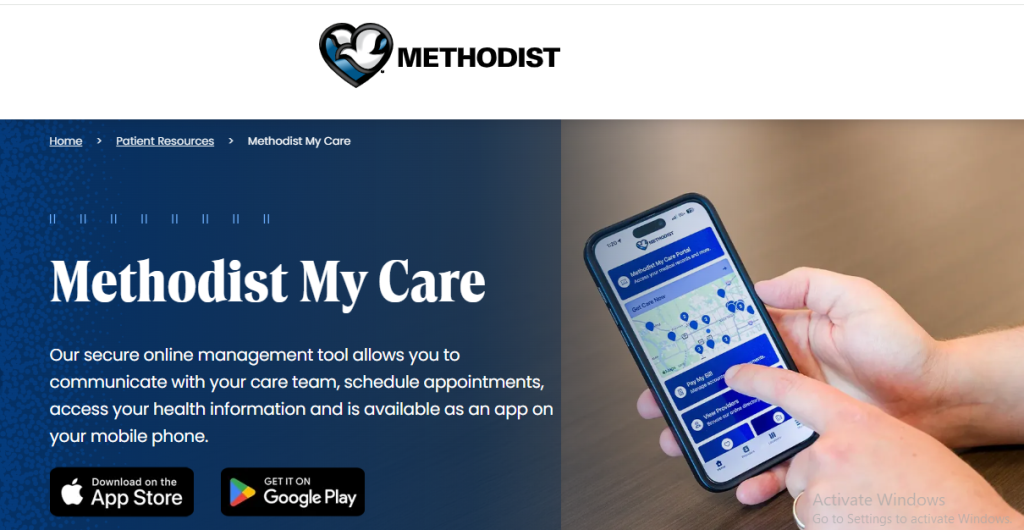
Methodist My Care is the secure online patient portal from Methodist Health System that gives patients a convenient way to manage parts of their healthcare online. Through the portal, eligible patients can communicate with their care team, manage appointments, view health information, and use other digital healthcare services.
Methodist My Care can be accessed through a web browser on a computer, tablet, or smartphone. Methodist also offers the Methodist My Care mobile app for patients who prefer to manage their healthcare from their phone.
What Is Methodist My Care?
Methodist My Care is an online patient portal that provides Methodist patients with easier access to healthcare information and services.
Instead of contacting a clinic for every routine request, patients can use their account to access available health information, communicate with their care team, and manage certain appointments online.
The portal is available through the Methodist MyCare website and the Methodist MyCare smartphone app.
Please note: Lab results are often posted to your Methodist My Care account as soon as they’re available and, in some cases, before your provider has had a chance to review them. Although this immediacy is one of many convenient features of our patient portal, some results may be difficult to understand without proper explanation. Your provider will contact you to discuss any concerning findings.
What Can You Do With Methodist MyCare?
Methodist MyCare can help you manage your health and the health of your dependent children (under 18) by putting information and other resources at your fingertips.
The secure online patient portal is available via an internet browser on desktop and mobile devices or via the Methodist My Care smartphone app.
Depending on your account and the services available to you, Methodist My Care can be used to:
- View available health information
- Communicate securely with your healthcare team
- Schedule appointments with participating primary care providers
- Cancel or reschedule appointments
- View laboratory and test results
- Make your bill payments
- Request prescription refills
- Manage healthcare information for eligible dependent children
- Access the portal from a computer or mobile device
Methodist’s current information also notes that some features, such as bill payment, provider lookup, location search, and certain cost estimates, are available through the Methodist My Care app without signing in to the patient portal.
Ways to Access Methodist My Care
There are two main ways to access Methodist My Care:
Through a Web Browser: You can access the patient portal using a supported web browser on a desktop computer, laptop, tablet, or smartphone. If you already have an account, select the login option and enter your Methodist My Care credentials.
Through the Mobile App: Methodist also provides a Methodist My Care smartphone app. The current app replaced the previous Methodist My Care app. Methodist recommends searching for “Methodist My Care” in the Apple App Store or Google Play Store and selecting the current app.
How to Sign Up for Methodist My Care
Eligible patients can enroll in Methodist My Care in more than one way. Methodist currently states that patients age 19 or older who have their medical record number can self-enroll.
The medical record number may be found on a recent billing statement or obtained by contacting the provider’s office. Patients can also ask Methodist provider or clinic staff about enrollment. In that situation, patients may need to provide valid photo identification before receiving an activation email with instructions.
For detailed instructions, see our Methodist My Care Sign Up guide.
Methodist My Care Login
Once your account has been created, you can use your Methodist My Care username and password to sign in.
If you are having trouble accessing the account, check that you are using the correct login information and that your browser or app is working properly.
For step-by-step instructions, see our Methodist My Care Login guide.
What If You Forgot Your Password?
If you cannot remember your Methodist My Care login information, use the account-recovery options provided through the official portal rather than creating another account.
If the recovery process does not resolve the problem, contact Methodist support or your provider’s office for assistance.
We recommend keeping your login credentials private and avoiding sharing your password with other people.
Methodist My Care for Parents and Dependents
Methodist says My Care can help patients manage healthcare information for dependent children under 18.
However, enrollment requirements can differ for dependent children. Methodist’s current patient-portal information states that self-enrollment is not currently available for dependent children under 19 and that enrollment must be completed in person with a legal guardian present.
Because requirements can change, parents and guardians should confirm the current process with the child’s Methodist provider.
Is Methodist My Care Free?
Methodist describes its My Care patient portal as a secure online management tool available to its patients. The portal itself does not require a separate subscription fee according to Methodist’s patient information.
Healthcare services, appointments, prescriptions, or other medical services accessed through the portal may, of course, have their own costs or insurance considerations.
Methodist My Care App
The Methodist My Care app provides another way to access the service from a smartphone.
According to Methodist, the app allows patients with an existing portal account to communicate with their healthcare team, view health information and test results, request prescription refills, and schedule, cancel or reschedule appointments.
Some additional tools are available without signing into the patient portal, including bill pay, provider lookup and location search.
Keeping Your Methodist My Care Account Secure
Your patient portal may contain private health information, so account security is important.
Consider these basic precautions:
- Use a strong, unique password.
- Do not share your password with other people.
- Avoid signing in on public or shared computers when possible.
- Keep your phone and computer protected with a passcode or other security measure.
- Make sure you are accessing the legitimate Methodist My Care website or official app.
- Log out after using a shared device.
- Contact Methodist if you believe someone else has accessed your account.
Methodist My Care vs. a Regular Medical Website
A hospital website provides general information such as locations, services, doctors, and contact information.
Methodist My Care is different because it is a patient-facing account connected to available healthcare information and services. Your portal account may therefore provide personalized information that is not available to someone simply browsing the Methodist website.
Where to Get Help
If you cannot enroll, cannot access your account, or have questions about information in your patient portal, Methodist recommends contacting the appropriate provider or Methodist support resources.
For questions about a specific medical issue, use the appropriate healthcare channel rather than relying on the patient portal as an emergency service.
Do not use the patient portal for a medical emergency. Call emergency services or seek immediate medical attention when necessary.
Frequently Asked Questions
What is Methodist My Care?
Methodist My Care is Methodist Health System’s online patient portal for eligible patients. It provides access to healthcare information and services such as appointment management, communication with care teams and selected health records.
Can I use Methodist My Care on my phone?
Yes. Methodist My Care is available through a mobile web browser and through the Methodist My Care smartphone app.
Can I schedule an appointment through Methodist My Care?
Yes, Methodist states that the portal can be used to schedule appointments with primary care providers, as well as cancel or reschedule appointments.
Can I view test results?
Yes. Methodist states that patients can view health information and laboratory and test results through Methodist My Care.
Can I request prescription refills?
Yes. The Methodist My Care app allows patients to request prescription refills.
Can I enroll without an existing account?
Eligible Methodist patients may be able to self-enroll. Methodist currently says patients age 19 or older with a medical record number can use the self-enrollment process.