Methodist My Care Forgot Password or Username: Account Recovery
Trouble accessing your Methodist My Care account can be frustrating, especially when you need to check test results, communicate with your care team, request a prescription refill, or manage an appointment.
If you forgot your Methodist My Care password or cannot remember how to access your account, there are several steps you can take before contacting Methodist Customer Support.
Methodist My Care is the secure patient portal used by Methodist Health System in the Omaha, Council Bluffs, and Fremont area. The portal lets eligible patients access health information, communicate with healthcare providers, view lab and test results, request prescription refills, and manage certain appointments.
Forgot Your Methodist My Care Password?
If you cannot remember your Methodist My Care password, start with the password-recovery option available from the official Methodist My Care login page.
Follow the instructions provided by the portal to verify your account and establish access again.
For your security, avoid giving your password to another person. Methodist My Care contains personal health information, so account credentials should be treated as private information.
If the online recovery process does not resolve the problem, Methodist provides technical support through its Customer Support line.
How to Recover Your Methodist My Care Account
If you are unable to sign in, work through these steps:
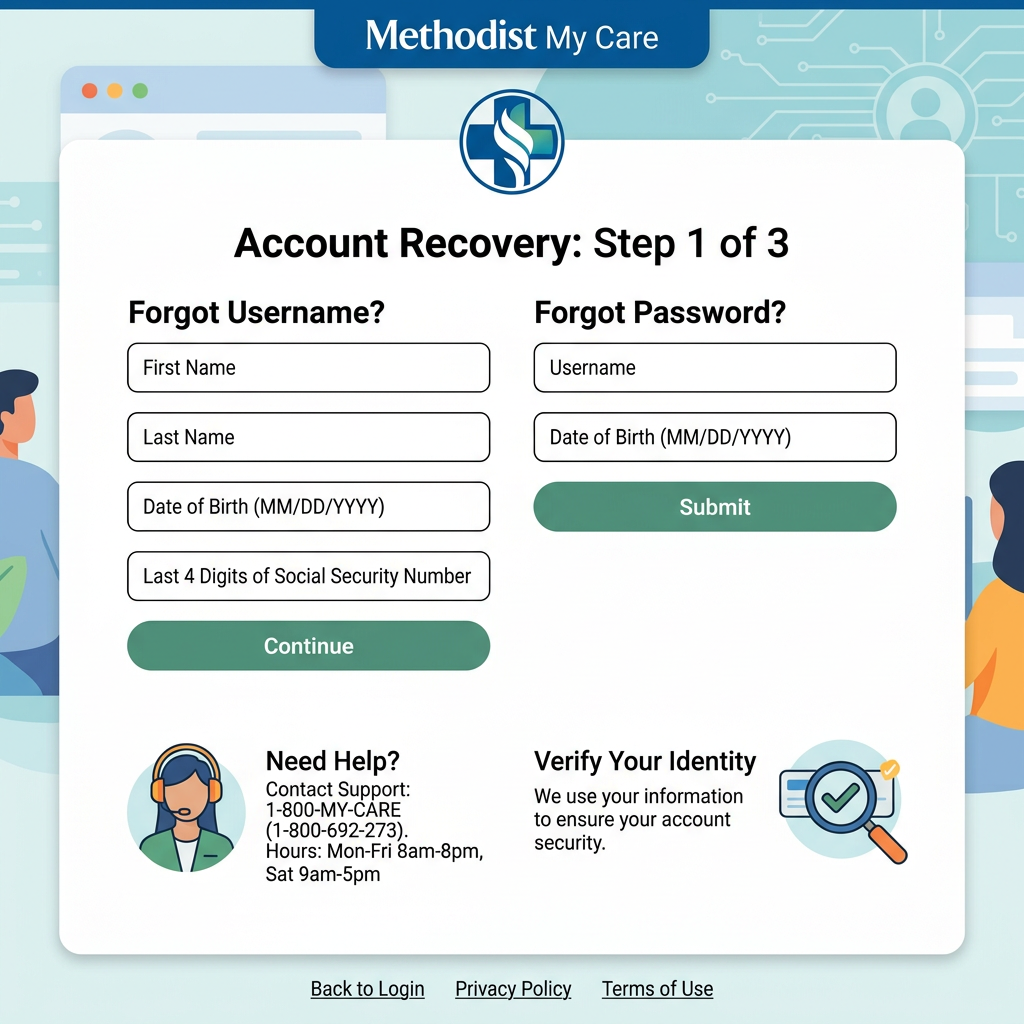
- Go to the official Methodist My Care login page.
- Check that you are using the correct account.
- Select the available account-recovery or login-help option if you have forgotten your credentials.
- Follow the identity-verification instructions.
- Create or reset your password when prompted.
- Return to the login page and try signing in again.
- If you still cannot access your account, contact Methodist Customer Support.
If the problem involves information in your medical record rather than your login credentials, contacting your healthcare provider may be more appropriate.
What If You Forgot Your Methodist My Care Username?
Forgetting your username can prevent you from accessing your account even when you remember your password. Start by checking any account information or enrollment messages you received when your Methodist My Care account was created.
If you cannot determine your username or otherwise cannot access your account, contact Methodist Customer Support for assistance rather than creating a second account.
Methodist’s current patient-portal FAQ identifies Customer Support at (402) 354-2280; then press 2 for technical support and help navigating the portal.
Methodist My Care Login Not Working
Not every login problem is caused by a forgotten password. If you know your credentials but still cannot access your account, try the following troubleshooting steps.
Check Your Username Carefully
Make sure you are entering the username associated with your Methodist My Care account.
If you recently created an account, check the enrollment information you received and make sure you are not accidentally using credentials from another healthcare website.
Check Your Password
Passwords can be difficult to enter correctly when using a smartphone.
Check whether:
- Caps Lock is enabled
- Your keyboard has changed languages
- Your phone is automatically inserting an incorrect password
- You have accidentally added a space
- Your browser has saved an outdated password
If you are uncertain about the password, use the official recovery process rather than repeatedly guessing.
Check Your Internet Connection
A weak connection can cause the login page to load incorrectly or prevent the sign-in request from completing.
Try opening another website to determine whether the problem is limited to Methodist My Care.
Try an Updated Browser
If the login page is not functioning properly, try an updated browser on your computer or mobile device.
You can also try accessing Methodist My Care through the official mobile app.
Try the Methodist My Care App
Methodist provides a dedicated Methodist My Care smartphone app.
The app provides access to the patient portal for enrolled users and also provides other Methodist tools, including bill pay, provider lookup, and location search.
Remember that access to your medical records through the app requires a Methodist My Care patient portal account.
I Forgot My Password and My Username
If you have forgotten both your password and username, do not create another Methodist My Care account simply because you cannot remember your original login information.
Instead, use the official account-help options or contact Methodist Customer Support.
Creating multiple accounts can make it harder to determine which account is connected to your existing patient information.
What If My Account Is Locked?
If you believe your account has become inaccessible because of repeated unsuccessful login attempts, stop entering random passwords.
Contact Methodist Customer Support for assistance.
The current Methodist My Care FAQ directs patients who need technical support to call (402) 354-2280 and press 2.
When contacting support, explain that you cannot access your Methodist My Care account and describe what happens when you attempt to sign in.
Do not give your password to anyone who offers to recover the account through an unofficial service.
I Never Received My Methodist My Care Activation Email
A missing activation email is different from a forgotten password.
If you recently enrolled and never received the invitation needed to create your account, Methodist recommends checking your junk or spam folder.
The email may come from My.Bestcare or IQHealth.com, according to Methodist’s current patient-portal FAQ.
If you confirm that the message is not in your inbox or spam folder, Methodist directs patients to Customer Support at (402) 354-2280; press 2.
What If My Email Address Has Changed?
If you no longer have access to the email address associated with your Methodist My Care account, do not create a new account using a different identity or another person’s information.
Contact Methodist Customer Support or your provider’s office and explain that your contact information has changed.
The appropriate team can tell you what verification is required to update your account.
Can I Create a New Methodist My Care Account?
If you already have an established Methodist My Care account, creating another account is generally not the best solution to a forgotten password or username.
Existing patients should first attempt to recover their existing account.
For people who have never enrolled, Methodist currently offers self-enrollment to eligible patients age 19 or older who have a medical record number. The medical record number can be found on a recent billing statement or obtained by contacting the provider’s office.
What If I Have Never Registered for Methodist My Care?
If you are trying to log in but have never created an account, you do not need to recover an account you do not have.
Methodist currently provides two enrollment options.
Self-Enrollment
Patients who are 19 or older and have their medical record number can self-enroll through the Methodist My Care service.
Enrollment Through Your Provider
You can also talk with a Methodist provider or clinic staff about enrolling.
Methodist states that patients using this option need to present a valid photo ID. After registration, an activation email is provided with instructions for creating the account.
If you need detailed enrollment instructions, see our Methodist My Care Sign Up guide.
Methodist My Care Password vs. Portal Activation
It is useful to distinguish between these two situations.
- Account activation happens when you are creating your Methodist My Care account for the first time.
- Password recovery happens when you already have an account but cannot remember or use the password.
If you never received your activation email, follow the enrollment-support process rather than treating the issue as a forgotten password.
If you previously used Methodist My Care successfully and suddenly cannot sign in, account recovery or technical support is more appropriate.
What If I Can Log In but Something Is Wrong With My Information?
A login problem is different from an incorrect medical record.
If you can access Methodist My Care but notice an error in information on your account, Methodist advises patients to send a message through the patient portal or contact their care provider’s office.
Do not create a second account to try to correct information in your existing record.
How Can I Check Who Has Access to My Methodist My Care Account?
Account security is particularly important when other people have been given access to your healthcare information.
Methodist states that patients can contact Customer Support to find out who has access to their patient portal account.
You can also review account access from within Methodist My Care by signing in, opening Settings, and selecting Access logs.
If you see activity or access that you do not recognize, contact Methodist promptly.
What If Someone Else Knows My Password?
If you believe someone else knows your Methodist My Care password, change it through the official account-management or recovery process.
Do not share your new password with anyone who does not need access to your account.
If you believe someone has accessed your patient information without permission, contact Methodist Customer Support and explain the situation.
Methodist My Care Technical Support
Methodist’s current My Care FAQ provides a dedicated technical-support contact:
Methodist Customer Support:
(402) 354-2280
Press 2
Methodist identifies this number as the support route for help navigating the patient portal and resolving technical questions.
If you are contacting support, it can help to have the following information available:
- Your name
- Your date of birth
- Information about your Methodist patient account
- A description of the problem
- The device you are using
- Whether you are using the website or mobile app
- Any error message displayed on the screen
Never include your password in an email, public comment, or message to an unofficial third party.
Methodist My Care App Login Problems
If the website works but the app does not, the problem may be specific to the application rather than your patient account.
You can try:
- Closing and reopening the app.
- Checking your internet connection.
- Updating the app through the appropriate app store.
- Restarting your smartphone.
- Trying the Methodist My Care website.
- Contacting Methodist Customer Support if the problem continues.
Methodist’s current app is available through the Apple App Store and Google Play Store.
If you are using an older version of the Methodist My Care app, check that you have the current official application. Methodist previously announced a newer app that replaced the previous version while keeping the Methodist My Care name.
Is Methodist My Care the Same as MyChart?
No. Patients should be careful when searching for healthcare portals because several unrelated healthcare organizations use names such as MyChart or My Care.
The Methodist Health System serving the Omaha, Council Bluffs, and Fremont area identifies its patient portal as Methodist My Care.
Make sure you are using the portal associated with your Methodist healthcare provider. Using instructions for another healthcare organization’s portal may lead to confusion or failed login attempts.
Protect Your Methodist My Care Account
Because the portal can provide access to personal health information, basic security practices are important.
Use a Unique Password
Avoid using your Methodist My Care password for unrelated websites.
Keep Your Credentials Private
Do not give your username and password to people who contact you unexpectedly.
Be Careful With Public Computers
If you must access the portal from a shared computer, avoid saving your login credentials and sign out when finished.
Protect Your Smartphone
If you use the Methodist My Care app, protect your phone with a screen lock or other security feature.
Watch for Suspicious Messages
Be cautious about emails or text messages asking you to provide your patient portal password.
When in doubt, navigate directly to the official Methodist website rather than clicking an unfamiliar login link.
Frequently Asked Questions
How do I reset my Methodist My Care password?
Use the password-recovery option provided by the official Methodist My Care login service. If you cannot complete recovery, contact Methodist Customer Support at (402) 354-2280 and press 2.
What should I do if I forgot my Methodist My Care username?
Use the official account-help options or contact Methodist Customer Support. Avoid creating a duplicate account simply because you cannot remember your username.
What if I never received my Methodist My Care activation email?
Check your junk or spam folder. Methodist says the invitation may come from My.Bestcare or IQHealth.com. If you cannot find it, call Customer Support at (402) 354-2280 and press 2.
Can I create another Methodist My Care account?
If you already have an account, it is better to recover your existing account rather than create another one. New patients who have never enrolled can use Methodist’s enrollment process if they meet the requirements.
Can I use the Methodist My Care app if I forgot my password?
The app provides access to the patient portal, but accessing your personal medical records requires a Methodist My Care account and appropriate login access.
How do I get technical help with Methodist My Care?
Methodist currently directs patients to Customer Support at (402) 354-2280, press 2 for technical assistance.
Can Methodist My Care support access to another person’s medical records?
Yes, but this is handled through a separate proxy-access process. Methodist provides forms for requesting access to another adult’s or a minor’s medical records.
Final Thoughts
Forgetting your Methodist My Care password or username does not necessarily mean you need to create a new account. Start with the official account-recovery options and make sure you are using the correct Methodist My Care service.
If you cannot recover your access, Methodist’s current support information provides a direct route for technical assistance at (402) 354-2280, press 2.
Keeping your login information private and using the official Methodist My Care website or app can also help protect access to your personal health information.
Independent informational notice: This website is an independent informational resource. It is not affiliated with, endorsed by, or operated by Methodist Health System or Methodist My Care. Information can change, so readers should verify current instructions with Methodist Health System when necessary.